Bounding Box Creator
Overview
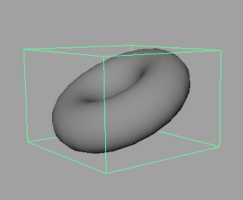
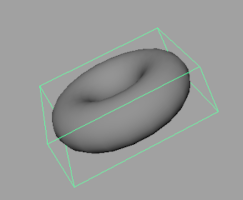
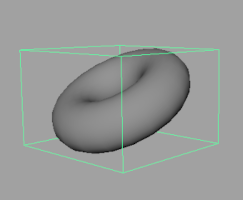
A tool to create bounding box geometry for selected geometry. You can create bounding boxes in world coordinate system, minimum volume, and minimum volume aligned to axis.
Also, the created bounding box preserves Translate, Rotate, and Scale values.
How to Launch
Launch the tool from the dedicated menu or with the following command.
import faketools.tools.model.boundingbox_creator.ui
faketools.tools.model.boundingbox_creator.ui.show_ui()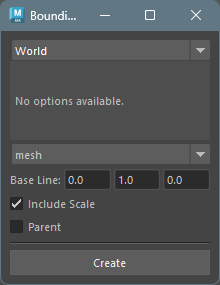
Usage
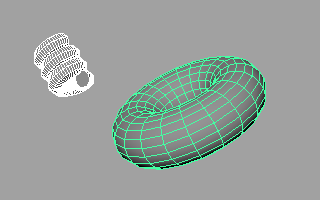
Select geometry for which you want to create a bounding box (multiple selection allowed). If you select a group node (transform), it will create a bounding box including its children.
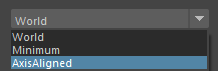
Select the type of bounding box to create.
World: Creates a bounding box in world coordinate system.Minimum: Creates a minimum volume bounding box.AxisAligned: Creates a minimum volume bounding box based on a specified axis.Axis Direction: Specifies the axis direction.Axis: Specifies which axis the specifiedAxis Directionshould be converted to.Sampling: Specifies the sampling count for the bounding box. Higher values increase accuracy but also computation.
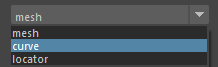
Select the type of bounding box geometry to create.
mesh: Creates a Cube mesh as bounding box.curve: Creates a Cube-shaped curve as bounding box.locator: Creates a locator at the bounding box position.
Set options.
Press the
Createbutton to create the bounding box.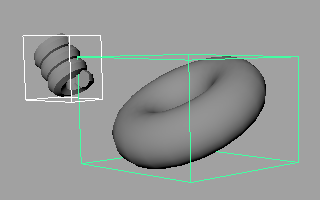
Options
Base Line: Specifies the pivot position of the created bounding box.Include Scale: Reflects geometry scale in the bounding box. When off, scale values are ignored.Parent: Creates the bounding box as parent of the selected node.